ENTERPRISE SAAS · WORKPLACE SAFETY
Designing Proactive Safety Check-ins for Lone Workers
I led the end-to-end design of MRI OnLocation’s Safety Check-ins, a safety-critical experience that enables lone workers to confirm their wellbeing, request help quickly, and automatically alert responders when a check-in is missed.


Role
Lead Product Designer
Responsibilities
UX Research, Interaction Design, UI Design, Prototyping, Accessibility & Usability Testing
Team
Product Manager, Engineers, Senior Designer
Timeline
2026
Overview
Project overview
MRI OnLocation supports workplace safety and emergency response. Building on OnEvac, an emergency evacuation experience I had previously designed, Safety Check-ins extended the platform into proactive monitoring for people working alone or in higher-risk environments. The feature enables workers to confirm their wellbeing, request help when needed, and automatically alert responders when a check-in is missed. The goal was to create a simple experience for workers while giving organisations greater visibility and a more reliable way to respond to potential safety incidents.
From emergency response to proactive safety
Safety Check-ins built on my earlier work on OnEvac, MRI OnLocation’s emergency evacuation experience. As more customers used OnEvac, we saw an opportunity to go beyond responding to emergencies and help identify safety risks earlier.
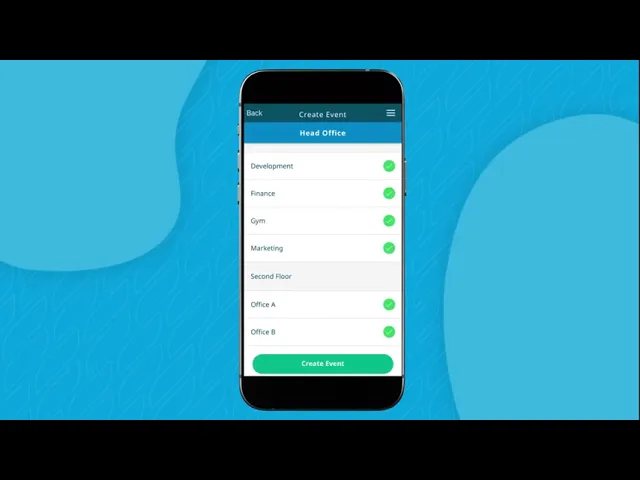
OnEvac — the emergency response experience that helped shape Safety Check-ins.
My approach
I used the Design Thinking process to understand safety needs, define the core problem, explore solutions, prototype key workflows, and validate the experience with customers before development.

Problem
Understanding the problem
A customer incident exposed a gap in how organisations supported lone workers. Existing tools focused on responding to known emergencies, but there was no reliable way to confirm a worker’s wellbeing or identify when something might be wrong. The challenge was to create a proactive safety experience that could detect missed check-ins and escalate quickly when help was needed.
01
No proactive safety monitoring
Organisations had no reliable way to confirm the wellbeing of lone workers.
02
Missed check-ins could go unnoticed
A missed check-in needed to trigger a timely response before the situation became more serious.
03
Critical actions needed to be immediate
Workers needed to confirm they were safe or request help within seconds.
04
Safety without constant surveillance
Monitoring needed to support responders while giving workers clear control over location sharing.
Research
Understanding the safety context
I combined market and competitor research, feature synthesis, and persona development to understand how lone-worker safety products worked, identify common patterns and gaps, and clarify the needs of workers and safety responders.
Market & Competitive Research
I reviewed seven lone worker safety products across Australia, New Zealand and global markets to understand common features, safety workflows and interaction patterns. This helped identify what users would expect and where the experience could be simpler and more proactive.
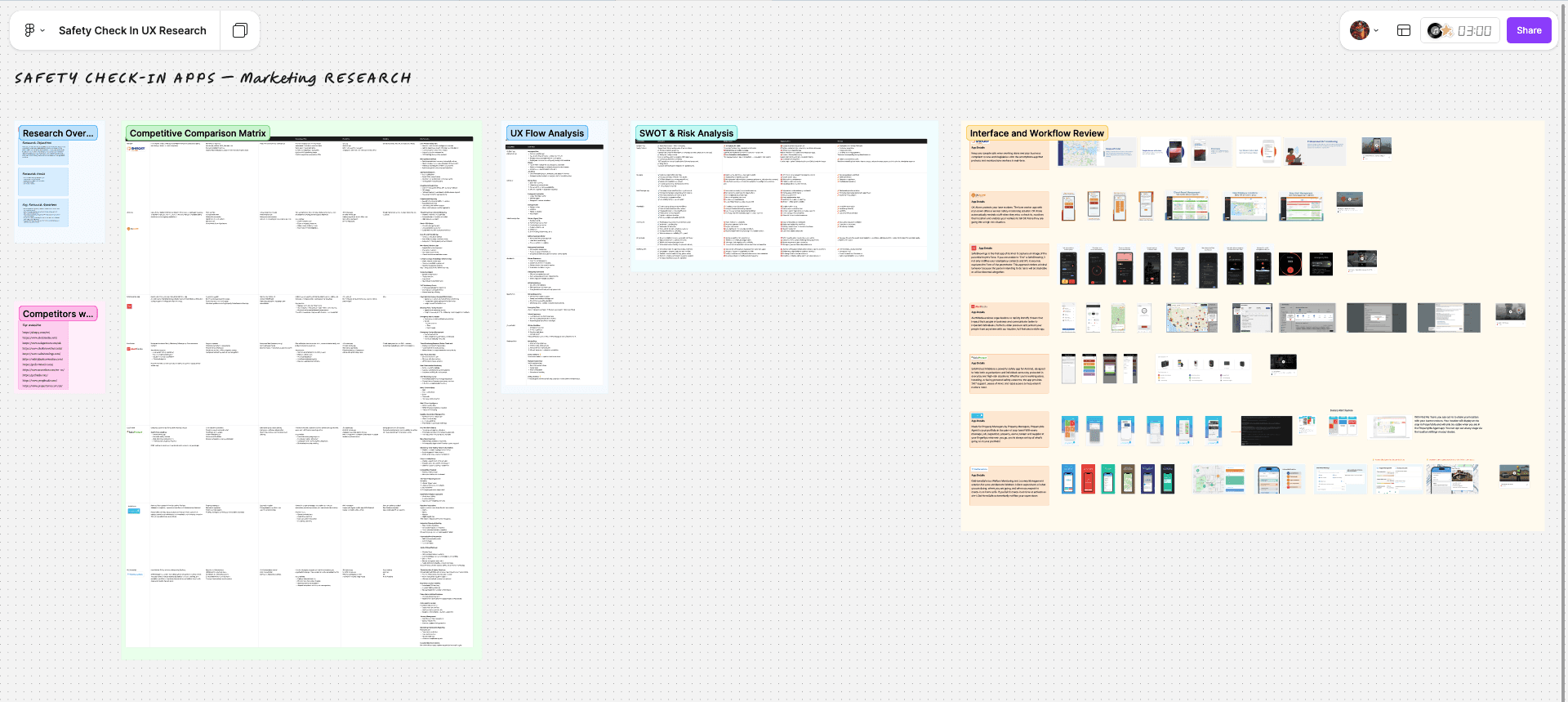
Research board comparing competitor workflows, feature benchmarks and interface patterns across seven safety platforms.
Competitive Feature Synthesis
I grouped the competitor findings into common feature themes to understand what users would expect from a lone worker safety product and where Safety Check-ins could offer something better. This helped shape the feature priorities for the first release.

Feature synthesis board showing the capability themes that shaped feature priorities and product direction.
Persona Synthesis
I translated the research into two representative user types: lone workers who needed a simple way to stay safe without interrupting their work, and supervisors who needed clear visibility when someone might need help.


Key Research Insight
Responding should be quick and simple
Workers needed to confirm they were safe or request help in seconds.
Problems should be identified early
The experience needed to detect potential issues before they became emergencies.
The response needed to match the risk
Different situations needed different levels of monitoring and escalation.
Workers needed control over privacy
People needed to feel protected without feeling constantly monitored.
Responders needed to act quickly
They needed clear information and a simple way to contact the worker when something was wrong.
Monitors needed clear information
The people responsible for worker safety needed to quickly see their status, location and when action was required.
Problem to Solve
How might we create a proactive safety experience that keeps lone workers connected with minimal effort while helping organisations identify risk early and respond quickly when assistance is needed?
Design Strategy Workshop
I facilitated a cross-functional workshop with Product, Engineering and key stakeholders to turn the research into a shared product direction. Together, we prioritised customer needs, explored solution opportunities and aligned on the principles that would guide the Safety Check-ins experience.
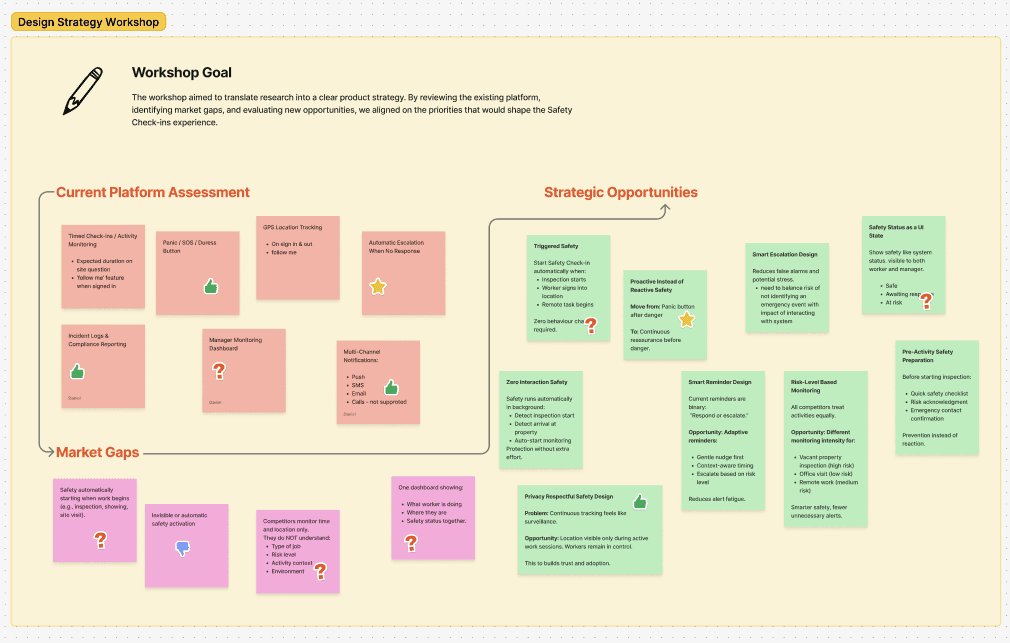
Workshop outputs: opportunity mapping, feature prioritisation and agreed design direction.
Design Strategy
01 · Speed
Enable workers to act within seconds.
02 · Clarity
Make every action and system response immediately understandable.
03 · Hierarchy
Keep critical safety actions visible and secondary information out of the way.
04 · Accessibility
Design for different abilities, environments and levels of digital confidence.
05 · Worker control
Provide protection while giving workers clear control over privacy and location sharing.
06 · Responder context
Make key information and actions easier to identify.
Safety Check-in User Flow
I mapped the end-to-end journey to define how workers, responders and the system would interact throughout a Safety Check-in. The flow clarified key decisions, missed check-ins and escalation paths before moving into interface design.

Feature Prioritisation
I used MoSCoW prioritisation with Product and Engineering to define the MVP, keeping the first release focused on the safety-critical capabilities needed to monitor workers and escalate when they failed to respond.

MoSCoW prioritisation used to align MVP scope across user value, safety needs and technical feasibility.
Design
Low-Fidelity Wireframes
I translated the prioritised flow into low-fidelity wireframes to explore critical interactions, decision points and emergency scenarios before moving into high-fidelity design.

Early wireframes exploring session setup, active monitoring, check-in prompts, responder support and emergency escalation.
High-Fidelity Prototype
Guided by the research, design principles and MVP priorities, I translated the concept into a high-fidelity mobile experience designed for fast, reliable interactions across routine monitoring and emergency situations.
Launching Safety Check-ins
Safety Check-ins was added to the existing OnLocation mobile app instead of becoming a separate feature. Workers could start a safety session from the main navigation or directly from the Home screen.

Quick Start
A Start action on the Home screen let workers begin monitoring with fewer steps.

Connected to work
Safety Check-ins appeared alongside the worker’s current location and work status, keeping safety connected to what they were doing.
Configuring a Safety Session
Before starting, workers could set up the session based on their activity, duration, location, risk level and privacy preferences. The goal was to keep setup quick while still giving workers enough control.

Safety session setup
Overview of the key settings before starting monitoring.

Activity type
Workers could choose a common activity or create a custom one.

Duration
Preset times made setup faster, with a custom option when more flexibility was needed.

Risk level
Workers could select the level of risk so monitoring could better match the activity.

Privacy controls
Workers chose whether to share their live location during the active Safety Check-in.

Location awareness
Workers could confirm their work location so responders had useful context if help was needed.
Active Safety Session
Once a Safety Check-in started, the experience focused on keeping workers aware of their remaining time while giving them quick access to safety actions.

Countdown timer
A large timer made the remaining check-in time easy to understand at a glance.
I’m OK
Workers could confirm they were safe with one tap and continue their session.
SOS access
The SOS action stayed visible throughout the session so emergency help was always easy to reach.

Progressive urgency
The timer became more urgent as time ran out, helping workers notice when action was needed.

Extend session
Workers could add more time when work took longer than expected without starting a new Safety Check-in.

Show Responders
Workers could see who was monitoring their session and contact a responder directly for non-emergency help without triggering an SOS.
Active Monitoring & Escalation
Once a Safety Check-in was active, the experience guided workers through routine check-ins, missed responses and emergency escalation with clear status changes and immediate actions.

Action required
A visible countdown made it clear that the worker needed to respond before responders were notified.

Missed check-in
If the worker did not respond, the system confirmed that responders had been alerted and the worker’s last known location shared.

SOS countdown
A short countdown gave workers a final chance to cancel an accidental SOS before emergency notifications were sent.

Safety confirmed
After confirming they were safe, workers could finish the session or quickly start another Safety Check-in.
Flexible Emergency Triggers
Workers could customise how SOS was triggered, including device shake, quick actions and voice activation, helping the experience adapt to different situations and accessibility needs.

Emergency trigger options
Workers could choose how SOS was activated, including device shake, quick actions and voice activation.
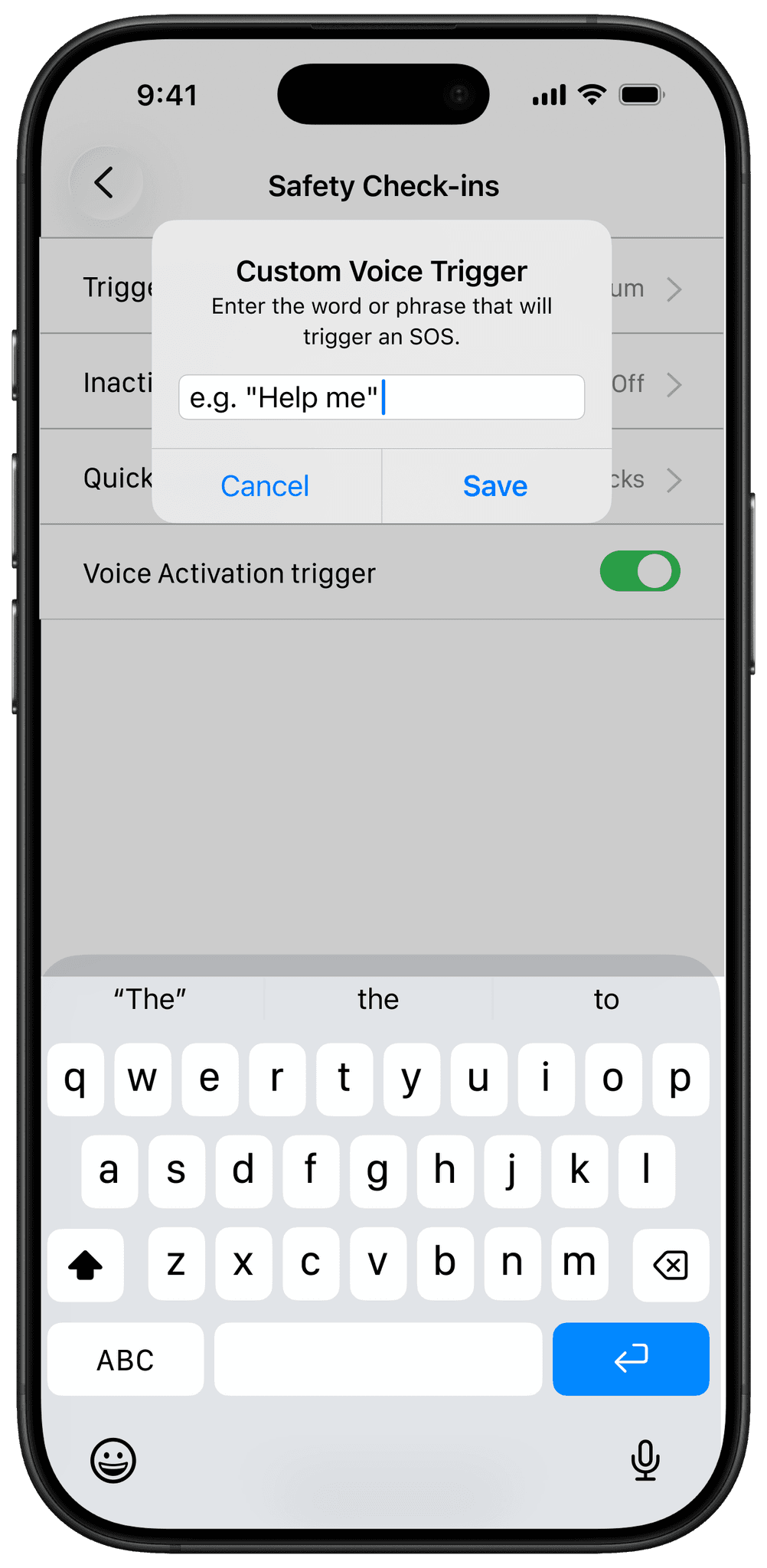
Custom voice trigger
Workers could set a personal word or phrase to trigger SOS when using the phone manually was difficult.
Responder Monitoring
When a check-in was missed or an SOS was triggered, responders could quickly see who needed help, their last known location, current safety status, contact details and responder notes in one view, helping them understand the situation and act quickly.

Widgets & Live Activities
Safety Check-ins extended beyond the main application through Live Activities and Home Screen widgets. These surfaces kept workers informed with glanceable updates, timely reminders, and immediate access to critical safety information without interrupting their workflow.


Usability Testing
I ran moderated usability sessions with three existing OnLocation customers, testing both routine check-ins and safety-critical scenarios.
What I tested
End-to-end Safety Check-in workflow
Navigation and task completion
Check-in reminders and monitoring states
Emergency and non-emergency actions

Key Findings
I ran moderated usability sessions with three existing OnLocation customers, testing both routine check-ins and safety-critical scenarios. What I tested End-to-end Safety Check-in workflow Navigation and task completion Check-in reminders and monitoring states Emergency and non-emergency actions
Workflow clarity
Participants completed the Safety Check-in flow with minimal guidance.
Clear monitoring states
Countdowns, reminders and status updates made it clear when action was required.
Emergency actions were clear
Participants understood the difference between requesting help and triggering an SOS.
Opportunities to simplify
Testing identified interactions that could be simplified before finalising the design.
Outcome
Expanding OnLocation into proactive safety
Safety Check-ins was successfully integrated into MRI OnLocation, strengthening the platform’s proactive lone worker safety capability. Existing clients responded positively, while customer testing confirmed that the core workflow, reminders and emergency actions were clear and easy to understand. The feature also expanded OnLocation beyond emergency response with proactive monitoring and automated escalation.